To redact data in a PDF, a black rectangle visible on the screen does not by itself prove that the underlying content has been removed. The tool PDF24 Redact PDF tool instead involves rasterization of the affected pages when saving: the resulting images replace the original page content and remove what is covered. The result should be checked on the new file, distinguishing redaction of areas from verification of the entire document.
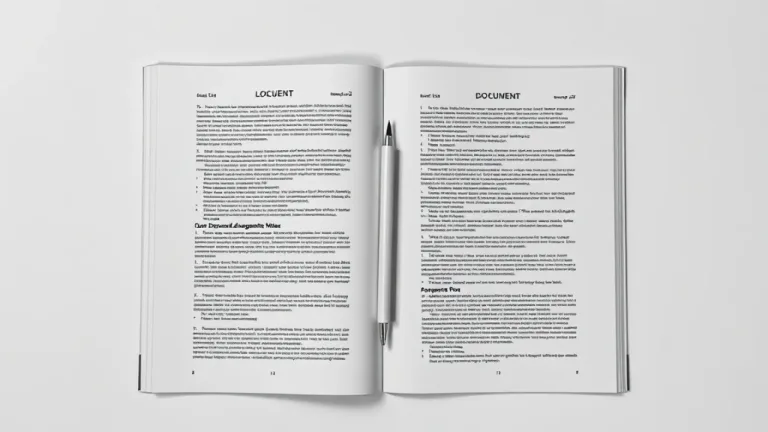
A fictitious two-page example helps set up a cautious procedure: keep the original, cover everything completely, search for repetitions, and reopen in another reader. These practical checks help spot obvious errors, without presenting them as certification of anonymization or compliance for real documents.
A simple overlaid annotation changes what appears on the page, but is not proof that the underlying text has been removed. Visual appearance and actual file content should therefore be considered separately. A box may seem sufficient during a quick read, while verification requires examining the saved document.
The behavior described for the specific PDF24 redaction tool is different: when saving, the affected pages are converted into images, which replace the original content. Removing covered parts is tied to this process and cannot automatically be attributed to any rectangle drawn in a PDF editor.
The first decision therefore concerns the function being used. Modifying a PDF, adding an annotation, and redacting certain areas serve different purposes. OCR text recognition is also a distinct operation and does not demonstrate that content has been removed.
The procedure can be designed on a document of two pages containing an invented name, an email address in the example.com domain, and a demonstrative code. At least one of these must reappear on the second page: repetition makes a common error visible, namely covering only one occurrence. This is a proposed example, not a report of a test already carried out.
Theoriginal must be kept in a separate folder, while the work is done on a copy. This distinction avoids confusing the complete document with the one intended for sharing and keeps the initial version available for later comparison. The new file must also have a recognizable name, without reusing data meant to be excluded from the shared copy.
The choice between online service and working on the computer precedes uploading. The online service involves sending the file to servers. PDF24 also offers a Windows application, but the function and behavior of the installed version must be verified before assuming it follows the same process. The mere presence of the application does not demonstrate that a given operation has already been checked offline.
After choosing the redaction tool, open the working copy and identify the entire area containing the information to remove. Coverage must include all the data, not just the part that stands out at first glance. In the fictitious document, the name, email address, and demonstrative code are three distinct elements to examine.
The review continues on the second page, where the second occurrence. The criterion is to follow the information throughout the document, rather than limiting it to the first page. A well-covered first area does not solve the presence of the same data elsewhere, so checking subsequent pages is part of the main operation.
Once coverage is complete, save a new PDF. This file must be reopened and verified: the editor preview does not replace examining the result actually produced. The chosen name must allow recognizing the copy intended for sharing and distinguishing it from the private original.
The first check consists in reopening the new document in another reader. Visually comparing with the original lets you verify that all intended areas have been covered and that information still needed remains readable. This review must cover both pages of the example, including areas where the same data appears a second time.
Then proceed with a attempt to select and copy the redacted area. If the text that should have been removed is still copyable, the check shows that the result does not meet the goal. In that case, re-examine the tool used and the saved file, avoiding the assumption that the black box's appearance is sufficient.
The search for the fictitious string in all pages completes the check for forgotten occurrences. It should however be interpreted together with visual verification: on the pages converted into images, selection and text search may differ. The absence of a search result alone does not certify that the entire file is clean nor replace the other checks.
Redaction of a page concerns the areas affected by the intervention and must not become a promise of universal deletion. Metadata, comments, attachments, and the file name require separate examination. A copy with sensitive areas covered may have been visually checked without these other elements having been evaluated yet.
In the example case, searching the code on the two pages serves to identify repetitions of the visible content. It does not amount to verifying every piece of information embedded in the document. Keeping these two levels distinct allows you to correctly describe what has been checked and what remains outside the procedure.
Even the shared file name merits attention: it would be inconsistent to remove a piece of data from the page and retain it in the document name. The private copy of the original remains useful for comparison, but must not be confused with the version prepared for an external recipient.
Converting the pages into images entails a trade-off to weigh against the result. It can affect text selectability, accessibility, sharpness and final size. The check must therefore address both the scope of the information and the ability to still use the document for its intended purpose.
A new OCR pass requires verification of its effects; it must not be applied automatically as if it left the file structure unchanged. Likewise, it is not possible to promise that signatures or other structural features will remain identical after processing. The assessment must refer to the copy actually saved, without extending conclusions beyond the checks performed.
For a few limited areas, redaction can serve the sharing objective. If an entire page is useless, deleting it is a different option to consider; if the information to exclude is widespread, it may be more consistent to reconstruct a clean version of the document. The decision depends on what must remain available to the recipient, not only on the possibility of adding black boxes.
Prova Oscura PDF di PDF24
A fictitious two-page example helps set up a cautious procedure: keep the original, cover everything completely, search for repetitions, and reopen in another reader. These practical checks help spot obvious errors, without presenting them as certification of anonymization or compliance for real documents.
Contents
- Redaction and annotation are not the same operation
- Prepare a copy and an example with fictitious data
- Cover the areas and check all pages
- Verify selection, copying, and search in the new PDF
- Metadata and content outside redacted areas
- Rasterization and choosing the appropriate method
Redaction and annotation are not the same operation
A simple overlaid annotation changes what appears on the page, but is not proof that the underlying text has been removed. Visual appearance and actual file content should therefore be considered separately. A box may seem sufficient during a quick read, while verification requires examining the saved document.
The behavior described for the specific PDF24 redaction tool is different: when saving, the affected pages are converted into images, which replace the original content. Removing covered parts is tied to this process and cannot automatically be attributed to any rectangle drawn in a PDF editor.
The first decision therefore concerns the function being used. Modifying a PDF, adding an annotation, and redacting certain areas serve different purposes. OCR text recognition is also a distinct operation and does not demonstrate that content has been removed.
Prepare a copy and an example with fictitious data
The procedure can be designed on a document of two pages containing an invented name, an email address in the example.com domain, and a demonstrative code. At least one of these must reappear on the second page: repetition makes a common error visible, namely covering only one occurrence. This is a proposed example, not a report of a test already carried out.
Theoriginal must be kept in a separate folder, while the work is done on a copy. This distinction avoids confusing the complete document with the one intended for sharing and keeps the initial version available for later comparison. The new file must also have a recognizable name, without reusing data meant to be excluded from the shared copy.
The choice between online service and working on the computer precedes uploading. The online service involves sending the file to servers. PDF24 also offers a Windows application, but the function and behavior of the installed version must be verified before assuming it follows the same process. The mere presence of the application does not demonstrate that a given operation has already been checked offline.
Cover the areas and check all pages
After choosing the redaction tool, open the working copy and identify the entire area containing the information to remove. Coverage must include all the data, not just the part that stands out at first glance. In the fictitious document, the name, email address, and demonstrative code are three distinct elements to examine.
The review continues on the second page, where the second occurrence. The criterion is to follow the information throughout the document, rather than limiting it to the first page. A well-covered first area does not solve the presence of the same data elsewhere, so checking subsequent pages is part of the main operation.
Once coverage is complete, save a new PDF. This file must be reopened and verified: the editor preview does not replace examining the result actually produced. The chosen name must allow recognizing the copy intended for sharing and distinguishing it from the private original.
Verify selection, copying, and search in the new PDF
The first check consists in reopening the new document in another reader. Visually comparing with the original lets you verify that all intended areas have been covered and that information still needed remains readable. This review must cover both pages of the example, including areas where the same data appears a second time.
Then proceed with a attempt to select and copy the redacted area. If the text that should have been removed is still copyable, the check shows that the result does not meet the goal. In that case, re-examine the tool used and the saved file, avoiding the assumption that the black box's appearance is sufficient.
The search for the fictitious string in all pages completes the check for forgotten occurrences. It should however be interpreted together with visual verification: on the pages converted into images, selection and text search may differ. The absence of a search result alone does not certify that the entire file is clean nor replace the other checks.
Metadata and content outside redacted areas
Redaction of a page concerns the areas affected by the intervention and must not become a promise of universal deletion. Metadata, comments, attachments, and the file name require separate examination. A copy with sensitive areas covered may have been visually checked without these other elements having been evaluated yet.
In the example case, searching the code on the two pages serves to identify repetitions of the visible content. It does not amount to verifying every piece of information embedded in the document. Keeping these two levels distinct allows you to correctly describe what has been checked and what remains outside the procedure.
Even the shared file name merits attention: it would be inconsistent to remove a piece of data from the page and retain it in the document name. The private copy of the original remains useful for comparison, but must not be confused with the version prepared for an external recipient.
Rasterization and choosing the right method
Converting the pages into images entails a trade-off to weigh against the result. It can affect text selectability, accessibility, sharpness and final size. The check must therefore address both the scope of the information and the ability to still use the document for its intended purpose.
A new OCR pass requires verification of its effects; it must not be applied automatically as if it left the file structure unchanged. Likewise, it is not possible to promise that signatures or other structural features will remain identical after processing. The assessment must refer to the copy actually saved, without extending conclusions beyond the checks performed.
For a few limited areas, redaction can serve the sharing objective. If an entire page is useless, deleting it is a different option to consider; if the information to exclude is widespread, it may be more consistent to reconstruct a clean version of the document. The decision depends on what must remain available to the recipient, not only on the possibility of adding black boxes.
Prova Oscura PDF di PDF24
Salsomaggiore Terme (Tutorial) - 13/11/2026 - Redacting data in a PDF with PDF24 and verifying the file before sharing
Written by Mokik
Written by Mokik
Referral links
Referral links do not influence our judgement or the content of the article. Our aim is to provide accurate, detailed and useful information for our readers.
Amazon Support MrPaloma by starting your Amazon shopping from this link amazon.it.
NordVpn Protect your browsing and support us: get NordVPN through our affiliate link! Nord Vpn
StarLinik Internet wherever you go StarLinik
Amazon Prime | Amazon Music Unlimited | Prime Video | Amazon Business | Kindle Unlimited | Amazon Wedding List | Prime Student